

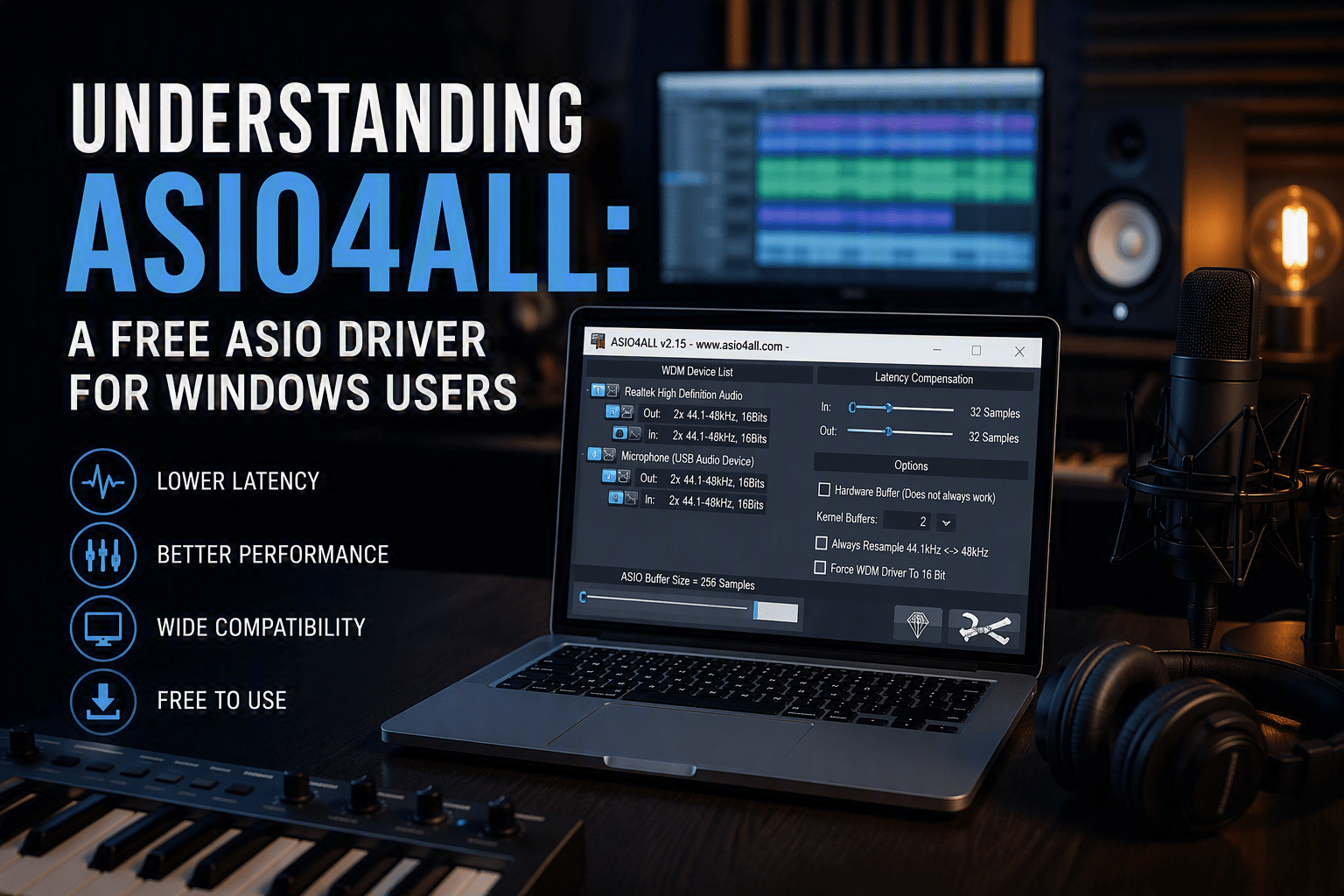
Understanding ASIO4ALL: A Free ASIO Driver for Windows Users
If you’ve researched ways to reduce audio latency on a Windows PC, you’ve probably come across ASIO4ALL. For years, it has been one of the most popular solutions for musicians, producers, podcasters, and home studio enthusiasts who need low-latency audio performance without investing in a dedicated audio interface.
But what exactly is ASIO4ALL, how does it work, and do you actually need it? In this guide, we’ll answer the most common questions and help you determine whether ASIO4ALL is the right choice for your setup.
What Is ASIO4ALL?
ASIO4ALL is a free universal ASIO driver wrapper for Windows. It allows audio software that requires ASIO support to work with audio devices that do not have native ASIO drivers. Rather than replacing your existing audio driver, ASIO4ALL provides a bridge between your audio hardware and ASIO-compatible applications.
This makes it especially useful for users working with built-in sound cards or older audio devices that lack dedicated ASIO support. By enabling lower-latency communication between audio software and hardware, ASIO4ALL can improve the recording and monitoring experience in many home studio environments.
How Does ASIO4ALL Work?
When you’re recording audio or playing virtual instruments, latency can become a major issue. Latency is the delay between performing an action, such as pressing a key on a MIDI controller or singing into a microphone, and hearing the audio through your speakers or headphones.
ASIO4ALL works by allowing audio software to communicate more directly with your audio hardware, bypassing some of the layers of the standard Windows audio system. This can reduce latency and improve overall responsiveness, making recording and monitoring feel more natural.
For many users, ASIO4ALL delivers a noticeable improvement over standard Windows audio drivers, particularly when working with digital audio workstations (DAWs) such as FL Studio, Ableton Live, Reaper, Cubase, Studio One, and Pro Tools.
Is ASIO4ALL Safe to Use?
Yes, ASIO4ALL is safe to use when downloaded from the official ASIO4ALL website.
The software has been trusted by the music production community for many years and is widely used by both beginners and professionals. It is lightweight, does not permanently modify your existing audio drivers, and can be uninstalled through Windows at any time.
As with any software download, it’s important to avoid unofficial download sites and obtain the installer directly from the developer whenever possible.
Do You Need ASIO4ALL?
Whether or not you need ASIO4ALL depends on the audio hardware you’re using.
If You Have a Dedicated Audio Interface
Most professional audio interfaces include their own native ASIO drivers. Manufacturers such as Focusrite, PreSonus, Audient, Steinberg, MOTU, and Universal Audio design these drivers specifically for their hardware.
In most cases, native ASIO drivers provide the best performance, lowest latency, and greatest stability. If your audio interface includes its own ASIO driver, that should typically be your first choice.
If You’re Using a Built-In Sound Card
If you’re relying on your computer’s built-in audio hardware, ASIO4ALL can be a valuable tool.
Many onboard sound cards do not offer native ASIO support, which can lead to higher latency when recording audio or playing software instruments. ASIO4ALL often helps improve compatibility and responsiveness without requiring additional hardware.
If You’re Experiencing Latency Problems
If you’re hearing an audible delay while recording vocals, guitars, keyboards, or other instruments, ASIO4ALL may help reduce latency and improve your workflow.
While results vary depending on your computer and hardware configuration, many users find that ASIO4ALL delivers a smoother recording experience than standard Windows audio drivers.
ASIO4ALL vs. Native ASIO Drivers
A common misconception is that ASIO4ALL is always the best ASIO solution. In reality, native ASIO drivers are generally preferred whenever they are available.
Native ASIO Drivers
Pros:
- Designed specifically for the hardware
- Typically offer the lowest latency
- Greater stability
- Full manufacturer support
Cons:
- Only work with supported devices
- Usually require a dedicated audio interface
ASIO4ALL
Pros:
- Free to use
- Works with many audio devices
- Improves compatibility with ASIO-based software
- Useful for computers without dedicated interfaces
Cons:
- May require additional configuration
- Performance can vary between systems
- Usually not as optimized as a manufacturer’s native driver
If you own a professional audio interface, use the manufacturer’s ASIO driver whenever possible. ASIO4ALL is most valuable when native ASIO support is unavailable.
What Is the Best Free ASIO Driver for Windows?
ASIO4ALL remains one of the most popular free ASIO solutions available for Windows users. Its wide compatibility and ease of access have made it a favorite among home studio owners for many years.
Other alternatives include:
FL Studio ASIO
Developed by Image-Line, FL Studio ASIO provides a simple setup process and works well for many recording and production tasks.
FlexASIO
FlexASIO is an open-source alternative designed to provide flexible configuration options and compatibility across various audio devices.
WASAPI Exclusive Mode
While technically not an ASIO driver, WASAPI Exclusive Mode can provide low-latency performance in many modern DAWs and is worth exploring before installing additional software.
How to Install ASIO4ALL
- Download ASIO4ALL from the official website.
- Run the installer and complete the installation process.
- Open your DAW or recording software.
- Navigate to the audio settings menu.
- Select ASIO as your audio system.
- Choose ASIO4ALL v2 as the active driver.
- Open the ASIO4ALL control panel.
- Adjust your buffer size for the best balance between low latency and stable performance.
If you experience audio dropouts or pops, increase the buffer size slightly until playback becomes stable.
Conclusion
ASIO4ALL continues to be a valuable tool for Windows users who need low-latency audio performance without purchasing a dedicated audio interface. It can help improve compatibility with professional audio software and reduce the latency commonly associated with standard Windows audio drivers.
However, if your audio interface includes a native ASIO driver, that will usually provide the best overall performance. For everyone else, ASIO4ALL remains one of the easiest and most effective ways to improve audio performance on a Windows-based recording system.
Slick Audio can help you build the perfect home, project, or professional studio with audio interfaces, studio monitors, microphones, headphones, acoustic treatment, and recording accessories from today’s leading brands.
Slick Audio can get you everything you need to complete your Home Studio, Project Studio, or Pro Studio.


